Plays for designers working with AI agents
What product and UX designers can try, from design systems an AI agent can follow to reviewing what it makes, taken from what the teams in these articles did. Jev, an AI model from TypeSafe, checks that each one makes sense without its article. How the check works
Human approval
A person other than the one who built a piece of AI-assisted work checks it and approves it before it reaches customers, often called keeping a human in the loop.
Write down which actions an AI agent may take on its own and which wait for a person's approval.
From 7 articles · Amazon Web Services, PropCode, Salesforce and 4 moreShow all 7Hide
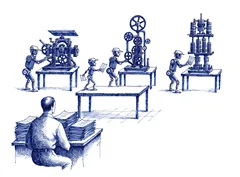
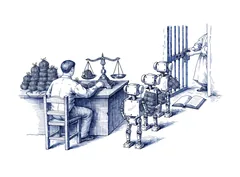
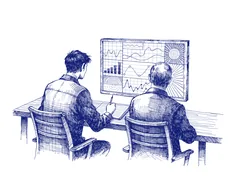
Before an AI agent's proposed change is applied, show users a preview of its full effect, including on other people, and apply it only when they confirm.
Review each interface an AI agent builds on its live preview link, including on a phone.
Include an accessibility check in the reviews an agent must pass before it is released to other staff.
Ask the coding agent for a plain-language summary of every change a designer submits, and hold the change to the same review standard as an engineer's.
Tier an AI agent's approval requests by consequence, such as spending, publishing, deleting and reading private data, rather than by which tool the agent uses.
Ask an expert in the subject, not a generalist, to review an AI agent's output, with a structured way to check each answer.
Put a designer on the team that sets up the company's AI agents, so that the agents' output is judged by a designer's standard of good work.
Agent context files
The files an AI agent reads before it works, such as AGENTS.md, CLAUDE.md, design-system rules and other written instructions, and the person or team who keeps them current.
Write down an order of authority for conflicting design guidance, from the user's goal to general heuristics, and give it to the AI agent.
Have an AI agent add feedback from review meeting transcripts to the design file as annotations, so the designer can take part in the meeting.
Before merging a page that an AI agent has rebuilt, click through its interaction states and confirm that each existing function still works.
Put the rules an AI agent keeps getting wrong into the instruction file it reads every time.
From 4 articles · Linear, Assetnote, Salesforce and 1 moreShow all 4Hide
Write the steps for documenting a component, such as diagramming its structure and mapping colours to tokens, as AI agent skills that any designer can run.
Keep building screens and maintaining the design system as separate jobs for AI agents, so an agent that needs a missing component notes it instead of changing the design system.
Settle the design system before AI agents build screens, and point every agent at that one source.
From 4 articles · Aha!, SpaceXAI, Southleft and 1 moreShow all 4Hide
Evals before the build
Before an AI feature is built, the team writes down what a good output looks like, so that the result can be tested against it.
Have the agent add sliders and other live controls to a prototype, so that its colours, sizes and motion can be adjusted while it runs.
Have the AI agent ask its questions or show its plan before it builds anything.
From 4 articles · WitnessAI, Intent, QuantumBlack and 1 moreShow all 4Hide
Measure how often a known error appears in AI output before changing the prompt, and measure it again after every change.
Check each failure that an agent proposes against the team's own notes on real sessions, and accept or reject it before the team starts to measure it.

Decision records
A written record of what was decided and why, kept with the work so that someone who did not build it can review it.
Replace a feature's requirements document and design brief with one table that has a row for each thing the product lets someone do. Link a click-through prototype under each row, and have a designer record a video walkthrough at the top.
Put a short human-written brief at the top of every ticket or specification handed to an agent, and label each section as written by a person or generated by the agent.
Add a deliberate review step whenever research findings are copied into a new document, such as a ticket or a brief, and record what changed.
Show the design options rejected during discovery beside the option carried forward, so that a reviewer can see that alternatives were compared.
After the prototype
AI makes a working prototype quick, so the effort moves to choosing a direction and getting from prototype to production with a reliable product.
Place several prototype directions side by side where the team can compare and discuss them, instead of judging one prototype on its own.
Remove any named solution, such as generative AI, from a design workshop's problem statements, so that the team does not choose the answer in advance.
Have someone with strong design knowledge review an AI-generated prototype before anyone treats it as ready to ship.
Before choosing a direction from an AI prototype, build out the states it leaves out, such as a cancelled booking, to see whether the direction still holds.
Understanding the work
A team checks on purpose that its people can still explain work that AI agents produced.
Have AI agents place before-and-after screenshots of each interface change side by side for review.
When AI tools draft research findings, have a second researcher work through the interpretation with the first, so that someone can disagree and catch what was missed.
Interfaces for agents
Product pages and data designed so that an AI agent, not only a person, can use them.
Replace checkmarks in comparison tables with specific values that name their source and date, so that an AI assistant can copy them and a person can check them.
Give AI agents the same actions and forms that people use in the interface, and show an agent only the actions that are possible at the current step.
Workshops that ratify
A workshop that confirms rules a team has already drafted while reviewing real work, instead of trying to invent them in the room.
Write down a design principle whenever a review catches AI-generated work drifting from the product's existing patterns, and share the list with the other design leaders.
Check in design critique whether an AI feature's loading state describes more steps than the system runs, and use a plain spinner for a single quick call.
Agent ownership
A person or team answers for what an AI agent does, and decides its instructions, its default settings and when it must hand a decision to a person.
Give every instruction file that an AI agent works from a named owner who keeps it current.
From 3 articles · WitnessAI and 2 moreShow all 3Hide
Ground truth for review
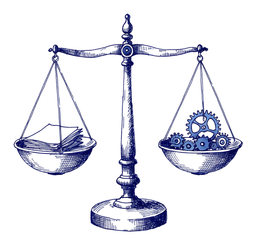
A set of correct answers or expected results, prepared by someone other than the builder, that a reviewer uses to check work made with AI.
Write down the problem a feature solves before building it, and judge the result against that statement.
From 2 articlesShow all 2Hide

Work cut to size
Before an AI agent starts, the work is split into pieces small enough for a person to review one at a time.

Training juniors
How people new to a craft build judgement when AI tools do the work that used to teach it.
Other plays
Plays from links that are not filed under a topic.
For each new sign-up or login flow, list every step and every new term a customer must learn, and remove the ones that do not help them finish the task.
On each AI answer, label what the AI system checked against a source, what it inferred and what the user still needs to review before acting on it.
Design what a person sees while an automated action runs and just after it ends, such as a saving indicator, before the feature ships.
Have the AI agent record each edit as a named move, such as merge, move or reframe, so users can see what changed.
When people keep asking an AI agent in chat to do the same job, have the agent build a small dedicated tool for that job instead.
Design an AI feature to hand users the finished result first, such as a personalised report, and offer the underlying tool and controls as a second step.